Salon Online Booking

Booking Online — Easy Appointment Process

Let clients book their preferred provider and service any time, from any device — with reminders, deposits and instant sync to your Astra calendar.

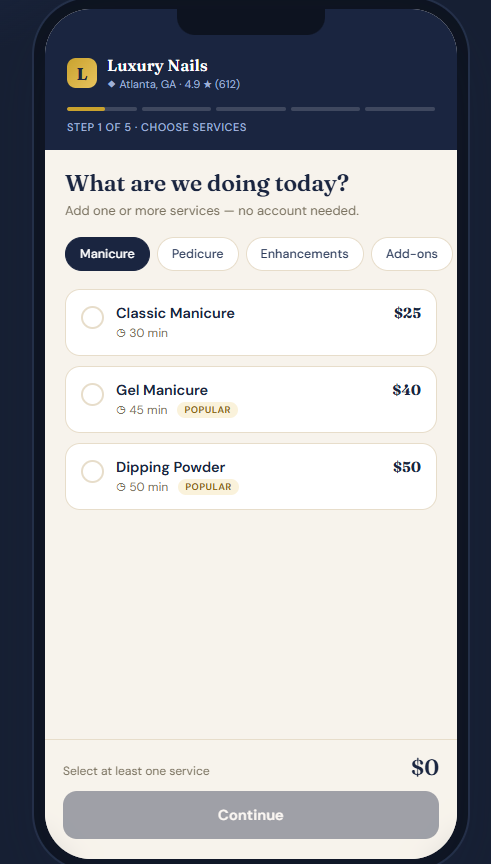
Astra POS online booking page on a phone
Step 1 · Book Online

Online Booking Made Simple

Give your clients the easiest way to book appointments—anytime, anywhere. Every salon receives a unique online booking link that can be added directly to your Google Business Profile (Google Maps), website, Facebook, Instagram, or shared through text and email. When customers click the link, they’re taken to your personalized booking page where they can browse available services, select exactly what they want, choose their preferred technician (optional), pick a convenient date and time, and confirm their appointment in just a few minutes.

Once the appointment is booked, it instantly appears in your Astra POS appointment calendar. Clients automatically receive appointment confirmations and reminders, helping reduce no-shows while saving your front desk valuable time. It’s a fast, professional, and convenient booking experience that keeps your schedule full and your customers happy.

Step 2 · Choose Technician

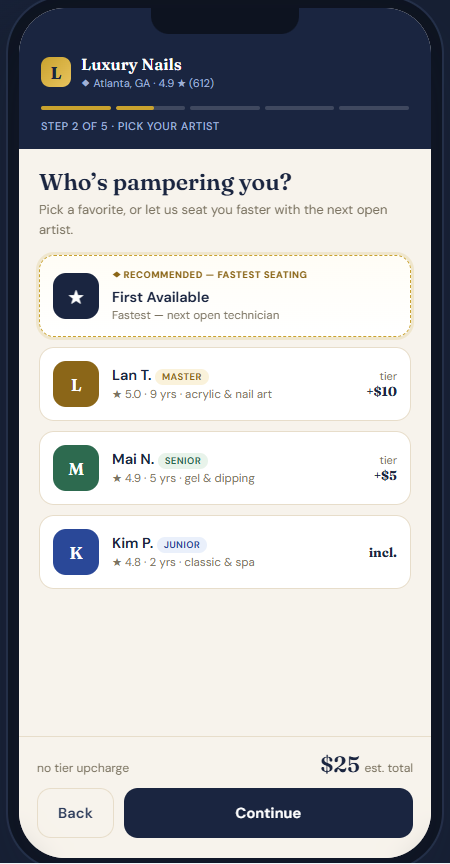
Choose Your Preferred Technician

Give your clients the flexibility to book the way they prefer. During the online booking process, customers can select their favorite technician, choose from a list of specific technicians, or simply choose “Any Available Technician” to see the earliest appointment times. Whether clients are loyal to one technician or just want the first available opening, Astra POS makes scheduling quick, convenient, and personalized while helping you maximize your team’s availability.

Choosing a technician during online booking
Selecting a date and time for an appointment
Step 3 · Date & Time

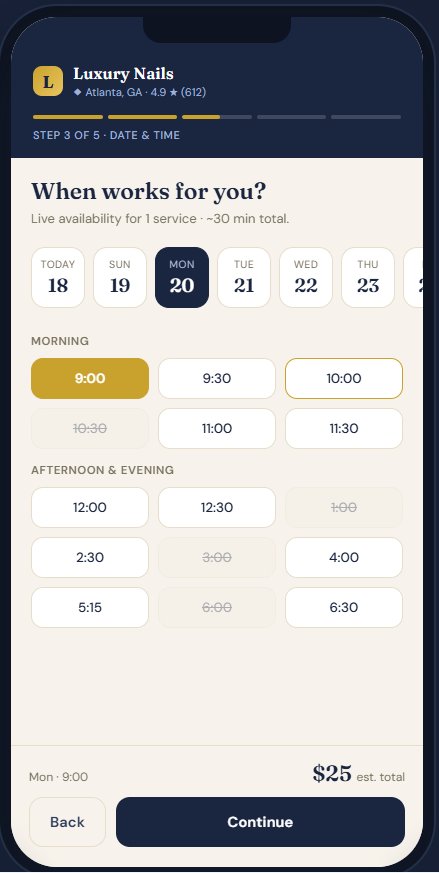
Select Your Date & Time

Finding the perfect appointment is quick and easy. After choosing their services and technician, customers simply select their preferred date to view all available appointment times in real time. Astra POS automatically displays openings based on technician availability, service duration, and business hours, preventing double bookings and scheduling conflicts. Once a time is selected, the appointment is reserved instantly, making the booking process fast, accurate, and convenient for both your clients and your salon.

Step 4 · Your Information

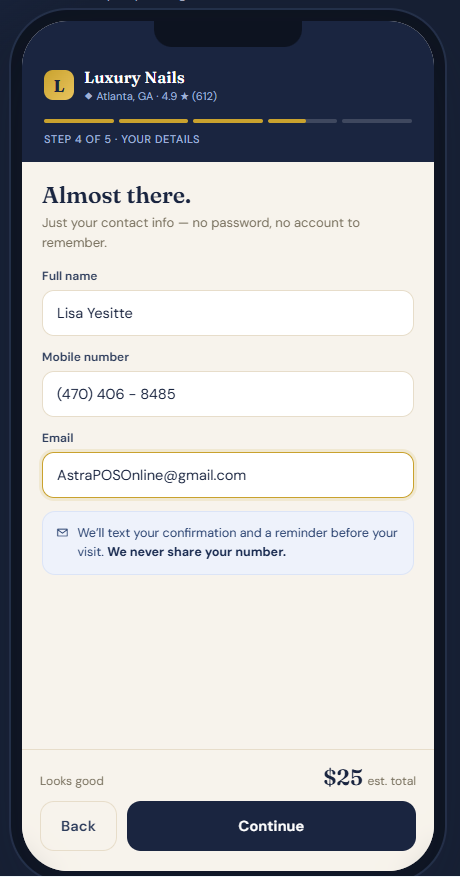
Enter Customer Information

Booking an appointment takes just a minute. New clients simply enter their name, phone number, and email address to complete their reservation. Returning clients enjoy an even faster experience—Astra POS automatically recognizes their information, making future bookings quick and effortless. Every visit is securely saved to their customer profile, allowing your salon to track appointment history, loyalty rewards, gift card balances, and available discounts. This personalized experience helps build stronger customer relationships while encouraging repeat visits and increasing client retention.

Entering customer information to book an appointment
Reviewing and confirming the appointment
Step 5 · Confirm & Secure

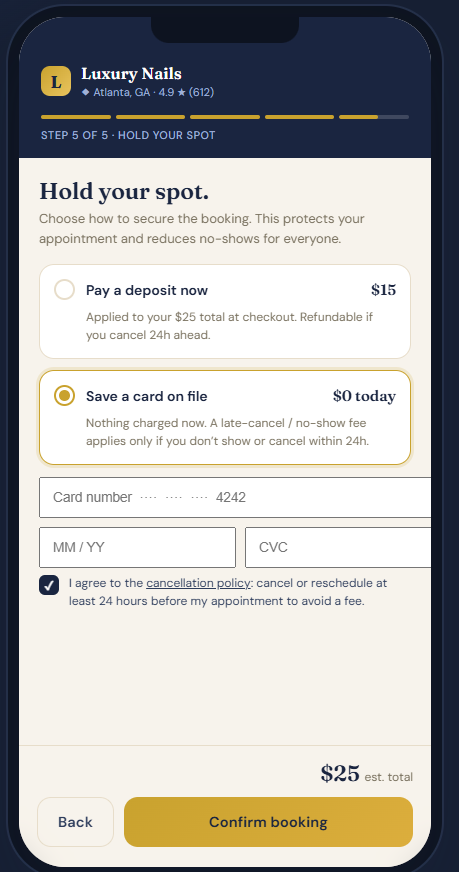
Secure Your Appointment

Astra POS gives salon owners complete control over the online booking process. You can choose whether appointments require a deposit or allow clients to book without a deposit. If a deposit is required, customers can securely pay online before submitting their appointment request.

Once the client clicks Submit, the appointment is sent directly to your Astra POS system as a pending booking request. Your front desk or manager will receive an instant notification and can review the request before confirming it. If needed, you can easily adjust the appointment by changing the date, time, or technician to better fit your schedule. After the appointment is approved, it is automatically added to your salon calendar, and the client receives a confirmation notification. This approval process helps prevent scheduling conflicts while giving you full control over every online booking.

…or learn more about our features

Salon Software

Explore More Salon Features

Ready to See It?

Keep Your Booking Open Around the Clock

Book a free demo and see how Astra online booking captures more appointments and fills your calendar automatically.