Eight practical steps to let clients book online, send confirmations and reminders automatically, protect your schedule, and keep walk-ins and technician turns running smoothly.
To automate nail salon bookings, set up an online booking page with accurate services, durations and technician schedules, then turn on automatic confirmations and reminders, decide whether to require deposits, and share your booking link everywhere clients find you. You don’t need AI to do any of this.
This guide walks through each step in the order most salons set it up, with nail-salon details that generic booking guides skip: technician requests, service durations, and how online bookings live alongside walk-ins and turn rotation.
Automating nail salon bookings means clients can see open times and book or request appointments online, and your system handles the follow-up messages, so staff don’t have to answer every call or type every appointment into the calendar. Staff still review, adjust and serve; the software handles the repetitive steps.
“Booking automation” covers several different tools. It helps to keep them separate:
AI is not required. Everything in Steps 1 to 8 below works with ordinary salon software.
Manual booking breaks down in predictable ways:
Automation helps operationally: fewer interruptions, one calendar everyone sees, consistent messages and a booking option that never closes. It won’t guarantee more revenue on its own; results depend on your clients, prices and how well the system is set up.
Online booking lets clients book 24/7 from a phone. A good nail salon booking flow asks for only what it needs:
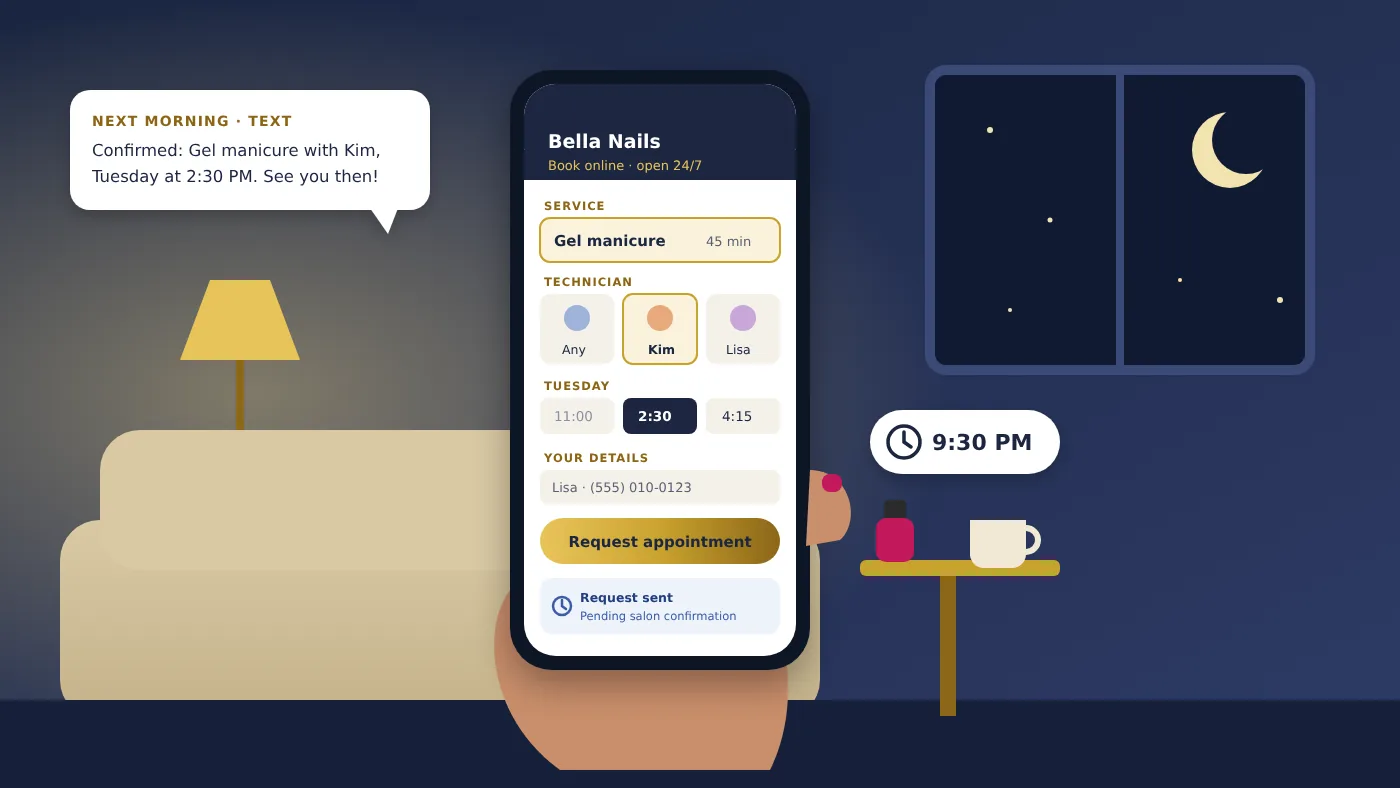
A client wants a gel manicure, but it’s 9:30 PM and the salon closed at 7. Instead of waiting to call the next morning, and maybe forgetting, she opens the salon’s booking page, chooses Kim for Tuesday at 2:30 PM, and submits the request. The front desk sees it first thing in the morning.
Instant-confirmed bookings go straight onto the calendar. They are fastest for the client but rely on your services, durations and schedules being set up correctly. Owner-approved booking requests arrive as pending until someone reviews them. They take a little staff time but let you adjust the technician or time before confirming. Many nail salons start with requests and move to instant booking for simple services once they trust their setup.
Your service list drives the whole calendar. Set realistic durations based on how long your technicians actually take, including cleanup:
| Service | Example duration | Setup tip |
|---|---|---|
| Manicure | 30 min | Basic polish; quick to book online |
| Pedicure | 45 min | Limit to technicians with an open pedicure chair |
| Gel manicure | 45 min | Add removal as an optional add-on |
| Acrylic full set | 75–90 min | Only technicians who do acrylics |
| Fill-in | 45–60 min | Separate from a full set so durations stay accurate |
| Dipping powder | 60 min | List as its own service, not a gel variation |
| Nail art | +10–30 min | Use add-ons by complexity |
| Waxing | 15–30 min | Restrict to licensed or trained staff |
Durations are examples only. Time your own technicians for a week before setting them.
Then set each technician’s working hours, days off and which services they perform. Wrong durations cause overlapping appointments: if a full set is listed as 45 minutes but takes 80, the next client booked with that technician will wait, and the system will keep offering times that don’t really exist.
A confirmation tells the client the appointment is real and gives them the details to save. It should go out automatically when an appointment is confirmed, whether it was booked online, by phone or at the front desk.
Hi Lisa! Your Gel Manicure appointment at Bella Nails is confirmed for Tuesday at 2:30 PM. We look forward to seeing you!
Each appointment status needs its own message, and a pending request must never read like a confirmation:
Reminders go out at set times before each appointment. Common timing:
Timing should be adjustable, and what you can configure depends on your software.
Reminder from Bella Nails: Your appointment is tomorrow at 2:30 PM. We look forward to seeing you!
Reminders help clients remember and, just as important, prompt them to tell you about changes earlier. Research from healthcare supports the idea: a Cochrane review found that text-message reminders improved appointment attendance compared with no reminders. Results in any one salon will vary. For message templates and SMS consent basics, see our guide to salon appointment text reminders.
A deposit is a partial payment collected when a client books. Salons use them because a client who has paid something is more likely to show up or cancel in time.
A client books a $75 acrylic full set with nail art and pays a $20 deposit online. At checkout, the deposit is applied and she pays the remaining $55 plus any tip. If she cancels with at least 24 hours’ notice, your policy might let her move the deposit to a new date.
Our free nail salon deposit policy template has wording you can copy. Deposit options depend on your software and plan; in Astra POS, deposits for online booking are available on Astra Pro and above.
Learn how Astra POS helps nail salons manage online booking, appointments, and customer information.
This is where nail salons differ most from hair salons and spas. Online bookings have to fit around a front desk that is also handling walk-ins. Make sure your booking setup knows:
Appointments and walk-ins need different workflows, so write down clear policies. For example: does an appointment count as a turn? How long is a technician held for a late appointment? Can an appointment be booked in the next 30 minutes if walk-ins are waiting? Our guides to technician turn management and nail salon walk-in management cover these decisions.
Automation only works if clients find the link. Use one booking link everywhere:
Our article on how salon online booking works explains what happens from a Google search to a confirmed appointment.
Once a visit is done, automation can help bring clients back:
Transactional vs. promotional messages: confirmations and reminders are transactional. Birthday offers, discounts and win-back promotions are marketing, which generally requires separate consent and an easy way to opt out. Square, for example, blocks marketing language in its appointment notifications for this reason. Keep the two types separate in your settings. For more ideas, see turning first visits into loyal regulars.
A salon handles 15 appointment-related calls a day, averaging 3 minutes each.
That is the total call time, not the time you’ll save. If half of those clients switch to online booking, you would save roughly 10 hours a month, minus the time staff spend reviewing requests and handling exceptions. Track your own calls for two weeks to estimate it.
Online booking automates scheduling for clients who are happy to book on their phone. An AI receptionist answers calls from clients who still prefer to phone. Many salons only need the first.
| Factor | Online booking | AI receptionist |
|---|---|---|
| Booking through a website | Yes, its main job | No; it may text a booking link |
| Answering incoming calls | No | Yes |
| After-hours availability | 24/7 | 24/7 |
| Customer self-service | Client picks service, technician and time | Client talks; AI books or takes a message |
| Scheduling integration | Built into your salon software | Needs a connection to your scheduler |
| Monthly cost | Often included in salon software plans | Usually a separate subscription plus usage |
| Human intervention | Review requests and exceptions | Transfers and messages for complex calls |
| Language support | Depends on the booking page | Varies by provider |
If you are still missing a lot of calls after online booking is set up, our AI receptionist guide compares costs and limitations.
Astra POS is a salon management and POS system built with nail salons in mind. It connects online bookings to the same system the front desk uses all day, so appointments aren’t re-entered and client information stays in one place. Features depend on your plan; see current pricing:
The Astra Free plan ($0/month) covers ticket creation and payments, transaction history, basic reports, a customer list and inventory. Astra Core ($29.95/month) adds customer management and payroll. Online booking starts on Astra Pro ($49.50/month). Astra does not offer AI phone answering; the automation described here is rules-based and under your control.
Set up online booking with accurate services, durations and technician schedules, turn on automatic confirmations and reminders, decide on a deposit policy, and put your booking link on your website, Google profile and social pages.
Yes. With online booking, clients can book or request an appointment any time. Requests made after hours can be reviewed when the salon opens.
No. Online booking, confirmations, reminders and deposits all work without AI. An AI receptionist is an optional add-on for answering phone calls.
Choose one that handles technician requests, accurate service durations, reminders and walk-ins together, at a price that fits. Try booking a few appointments yourself on a phone before you decide.
Most salon software can, usually configurable by timing. Clients must consent to texts, and availability can depend on your plan.
Use one shared calendar for online, phone and walk-in bookings, set realistic service durations, and keep each technician’s hours and days off up to date.
Yes, most booking pages let clients pick a technician or choose “any available.” Only technicians who perform the chosen service should appear.
Yes, if your software supports it. Many salons require deposits only for long or high-value services and apply the deposit to the final bill. In Astra POS, online booking deposits are available on Astra Pro and above.
Yes, with clear rules. Booked clients are held on a technician’s calendar while walk-ins are checked in and assigned by turn. Using one system for both prevents conflicts.
Online booking is often included in salon software plans, which range from free to a few hundred dollars a month. Text messages and payment processing may cost extra. With Astra POS, online booking is on plans from $49.50/month.
Considering a new system? See the best POS systems for nail salons and how to switch nail salon POS systems without losing customer data.
Sources: Gurol-Urganci I, et al., “Mobile phone messaging reminders for attendance at healthcare appointments,” Cochrane Database of Systematic Reviews, 2013; Square Support, “Manage appointment booking notifications and reminders” (checked November 7, 2026).
This article is general guidance for U.S. nail salons, not legal advice. Service durations, the deposit example and the time-savings calculation are illustrative, not guaranteed results. Text message rules vary; get client consent and offer an opt-out. Astra POS features are listed by plan on our pricing page.
Discover how Astra POS brings online booking, customer check-in, technician turns, and salon management together.