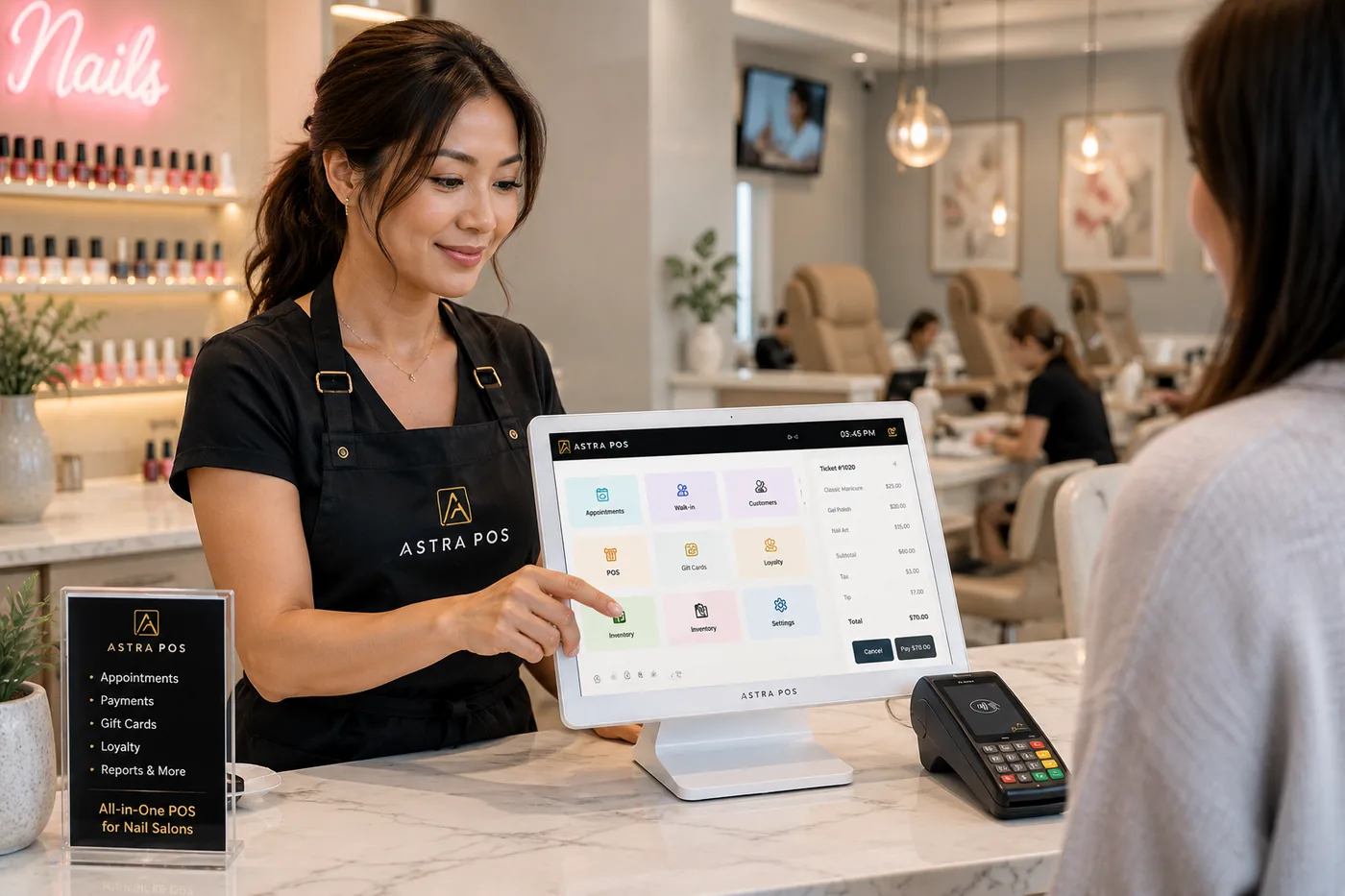
What can be moved, how a careful migration works, and how to change systems without closing your salon for the day.
Most nail salon owners who are unhappy with their POS stay on it anyway, because switching feels like starting over.
You can switch nail salon POS systems without starting over if your customer list, gift card balances and upcoming appointments are exported, checked and loaded into the new system before you start using it. With your authorized access to your current system, the Astra POS team helps extract and migrate those records where the data is available, sets up Astra alongside your old system, and plans the go-live around your business hours to keep disruption to a minimum.
This guide covers what can and can't be moved, the step-by-step process we use, how to protect gift card balances and future bookings during the switch, and a checklist to prepare before you call any provider. Astra POS publishes this guide and offers migration help, so our own process is described in clearly labeled sections.
Tell us which system you use now. We’ll review what can be moved before you commit to anything.
Owners hesitate because the POS holds years of work: client names and numbers, gift cards that clients already paid for, and next week’s bookings. These concerns are reasonable. Any provider you consider should answer each one before you sign.
None of these is a reason to stay on a system that doesn’t fit your salon. Each one is a reason to plan the switch carefully.
Customer lists, gift card balances and appointments can usually be moved when your current system lets you access and export them. Historical reports and stored card details are different. The table shows what Astra POS supports when the data is accessible.
| Data type | Astra POS migration support |
|---|---|
| Customer names | Supported when accessible |
| Customer phone numbers | Supported when accessible |
| Customer email addresses | Supported when accessible |
| Customer lists | Supported when accessible |
| Gift card records | Supported when accessible |
| Gift card balances | Supported when accessible and verifiable |
| Existing appointments | Supported when accessible |
| Upcoming appointments | Supported when accessible |
| Historical sales reports | Requires individual assessment |
| Technician records | Requires individual assessment |
| Stored payment card credentials | Not promised; subject to processor and security restrictions |
What actually transfers depends on five things: which system you use now, what export or reporting options it offers, whether you can give authorized access, how the data is structured, and whether it checks out when we compare it against the source. Some systems give owners a clean spreadsheet download. Others only show the information on screen or in reports.
About stored cards: Saved card numbers are protected by payment security rules (PCI DSS) and are held by the payment processor, not the salon. They can’t simply be exported and copied into another system. Any transfer of stored card tokens has to happen between processors under their own procedures, if they allow it at all. In most switches, clients add a card again on their next visit.
Our migration process
We review your current system first, move and check your data while you keep working, and switch over only when the new system is ready.
Astra’s team works with owners and technicians in English and Vietnamese through setup, training and the first days on the new system.
Book a consultation and we’ll look at your current POS with you before you make any decision.
Often, yes. Most of the work happens before the switch, so the salon can keep running on its current system while the new one is prepared. The switch itself can be scheduled for a quiet time, such as after closing or on your slowest morning.
A transition without closing usually looks like this:
Astra POS works to help salon owners transition with minimal disruption. When authorized system access and technical conditions permit, our team can prepare the new system while the salon continues operating.
We won’t promise that every switch happens with zero interruption. A terminal swap, an internet problem or a system that won’t export can add time. Planning ahead is how you avoid a surprise on a busy day.
Gift cards need extra care because every balance is money your salon has already collected and still owes in services. A balance that is wrong, missing or redeemed twice costs you money or a client’s trust.
Gift card records can’t be moved automatically from every provider. Some systems tie cards to their own processor or card stock, and redemption terms must be checked before the cards are used in a new system. We review this during the consultation. See Astra gift card software.
The risk with appointments is a booking that exists in one system but not the other, or a time slot booked twice. These steps protect your calendar:
For more on running a full calendar after the switch, see our guide to salon appointment booking.
Once your clients are in Astra, the list keeps building itself. Every check-in, booking and checkout adds to each client’s record, so the information you brought over becomes more useful over time.
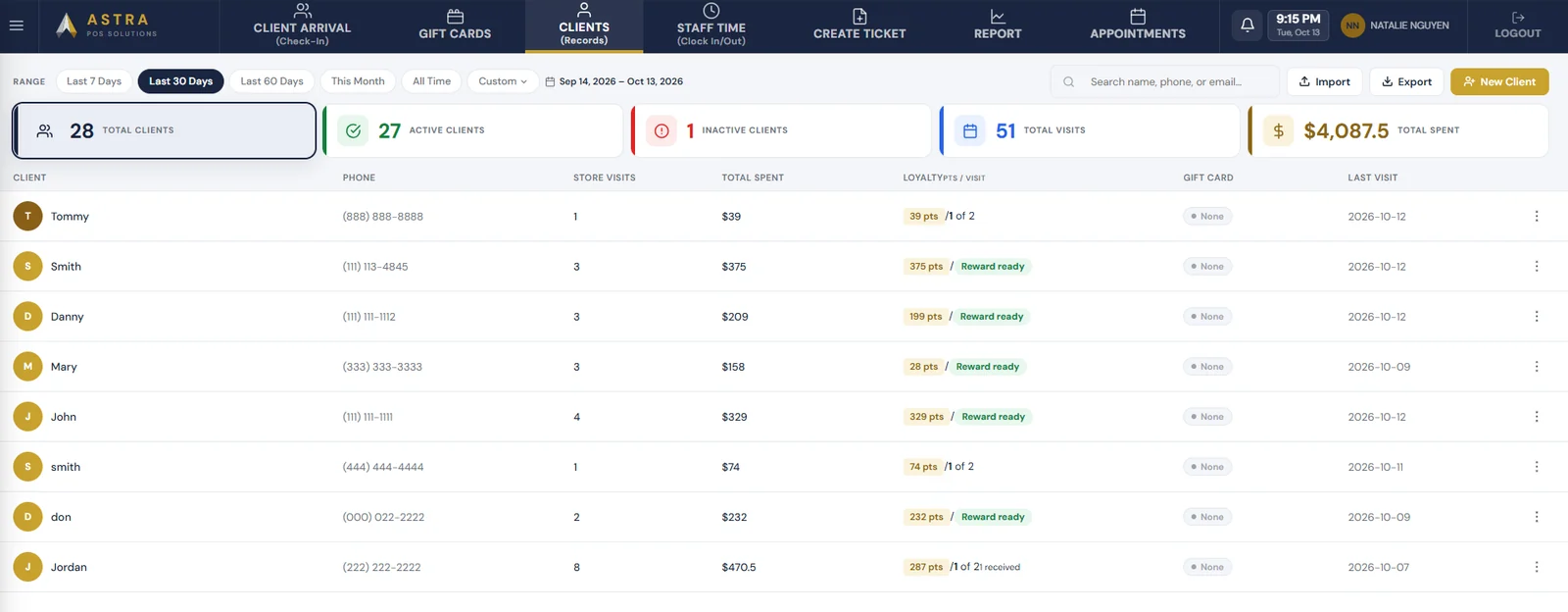
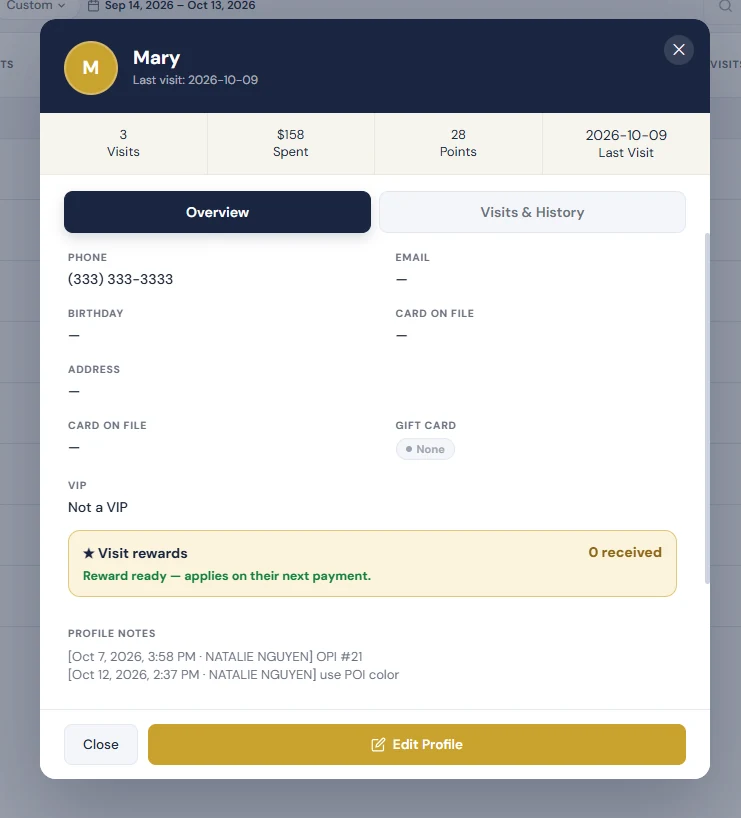
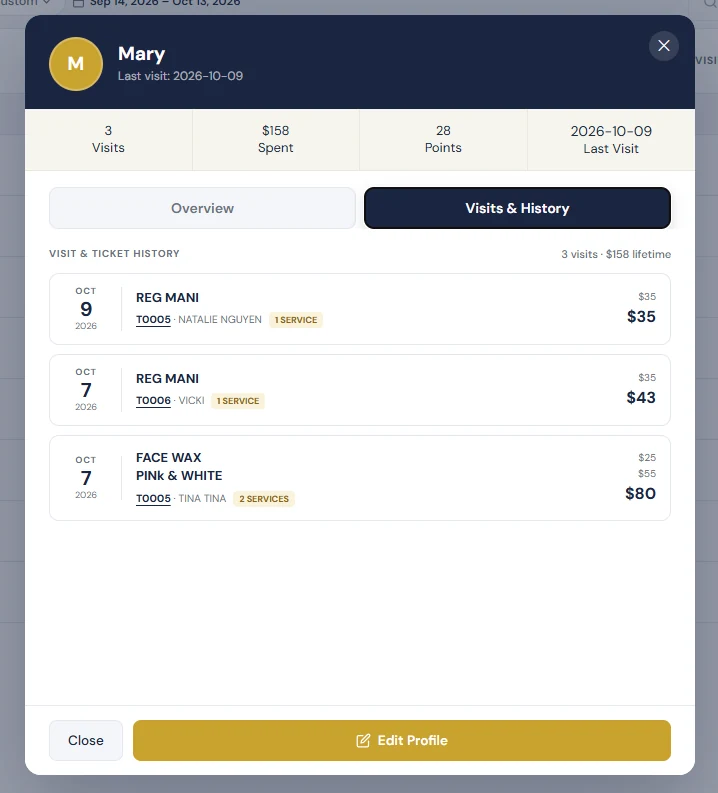
The client list shows each person’s phone number, visits, total spent, loyalty points and reward status, gift card and last visit. It can be filtered by date range, and summary counts show total, active and inactive clients. Opening a client shows their contact details, birthday, VIP status, rewards and dated notes, such as a favorite polish color. The visit history lists every ticket with the services, technician and amount. That helps owners see who hasn’t been back and target marketing, and it lets technicians pick up where the last visit left off. See client management.
Each system stores and exports data differently, so we review your current system before confirming what can be transferred. Some things are worth knowing in advance:
Astra POS does not claim a direct integration with any of these systems. We work from the exports and reports your current system makes available. If you’re still deciding where to switch, compare options in our guide to the best POS systems for nail salons, or see Astra POS vs Square Appointments. If you want to replace a card terminal, see our terminal trade-in program.
Gather these before your consultation. Having them ready shortens the whole process.
About Astra POS
Astra POS combines nail salon operations and hands-on support in one system, so the switch is the last time you have to move your data. It includes:
Software plans are Astra Free ($0/month), Astra Core ($29.95/month), Astra Pro ($49.50/month) and Astra Max ($161.10/month). Paid plans are month-to-month with no contract. Astra Free covers tickets and payments, transaction history, basic reports, a customer list and inventory, for one location, one terminal and one user login. It needs an account but no credit card, and you don’t have to switch processors. Turn queue, online booking, payroll, gift cards and loyalty are on paid plans. See pricing, the free POS system and our nail salon POS cost guide. For what to look for in any system, read Nail Salon POS System: What Nail Salon Owners Actually Need.
Usually, yes. If your current system lets you access or export customer names, phone numbers and emails, Astra POS can migrate them and check them before you go live. What can be moved depends on your current system’s export options and your authorized access.
Yes, when gift card records and balances are accessible and can be verified. We reconcile the total outstanding balance against your current system and test redemption before activating cards in Astra. Not every provider allows gift card records to be exported, so we confirm this during the consultation.
Yes, when appointment records are accessible. We transfer future bookings, check dates, times, services and technicians, and add any appointments booked during the migration before go-live.
Often not. When access and technical conditions permit, Astra is set up and checked while you keep using your current system, and the switch is scheduled for a quiet time. We can’t promise zero interruption in every case, but we plan to keep it to a minimum.
It depends on your current system, how much data you have, how easily it exports and how much setup your salon needs. We give you a timeline after reviewing your current POS in the consultation.
Yes. We review what your Square or Clover account can export before confirming what transfers. Clover devices can’t be used with other processors, so check your hardware and contract terms before choosing a date.
A short one. Technicians mainly need check-in, the turn queue and checkout, and the front desk learns booking and gift cards. Astra’s team trains staff in English and Vietnamese before and after go-live.
It depends on your processor and terminals. Astra Free can be used without switching processors. We’ll go over your current processing agreement and hardware with you, and explain Astra’s flat-rate processing for nail salons if you want to compare.
We tell you before go-live, not after. Depending on what’s missing, the options include entering key records manually, using a printed or on-screen report, or keeping read-only access to the old system for reference.
Yes. Astra’s team configures your services, staff, turn rules, payroll settings and supported terminals, tests the system with you, and supports your first days on it.
Switch your nail salon POS with confidence. Keep your customers, gift cards and appointments. Thinking about changing your nail salon POS system but worried about losing your customer information, gift cards, or appointments? Astra POS can help evaluate your existing system and plan a smooth transition. Our team assists with data migration, setup, and salon-specific configuration so you can focus on running your business.
Prefer to talk? Call 470-406-8485. Please don’t send POS passwords or customer files through a website form or email. We’ll arrange secure access with you directly.
Astra POS publishes this article and offers the migration help described. What can be migrated depends on your current system, the export options available, authorized access, data quality and verification. We don’t guarantee that every record from every provider can be transferred, or that every transition will happen without interruption. Third-party details are taken from each provider’s own public pages on the date shown and may change.
Sources (checked October 13, 2026):
We review your current system, migrate what’s accessible, check it with you and plan a go-live around your business hours.